Analytics Conversion Funnel - Ajax & Google Tag Manager 

Tutorial: Set up Universal Analytics Funnel for Ajax websites using Google Tag Manager

Analytics Conversion Funnel
Ralph Grundmann · Last updated on 24 February 2026

From a user’s and web developer’s perspective, the use of Ajax brings many advantages. The fact that not the entire page, but only the necessary data needs to be exchanged between the server and the user agent results in a significant increase in speed and less traffic consumption for the website operator.

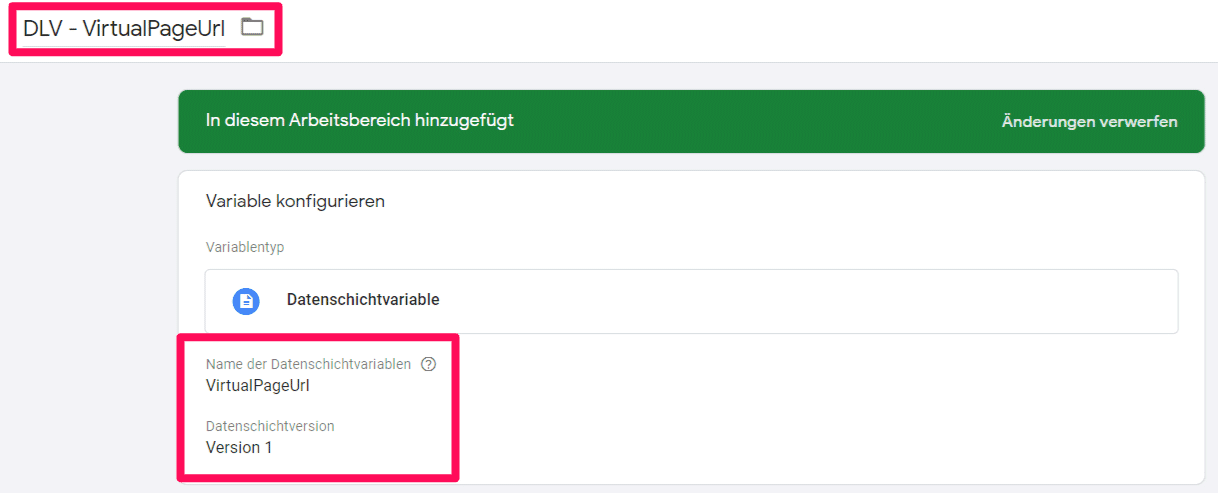
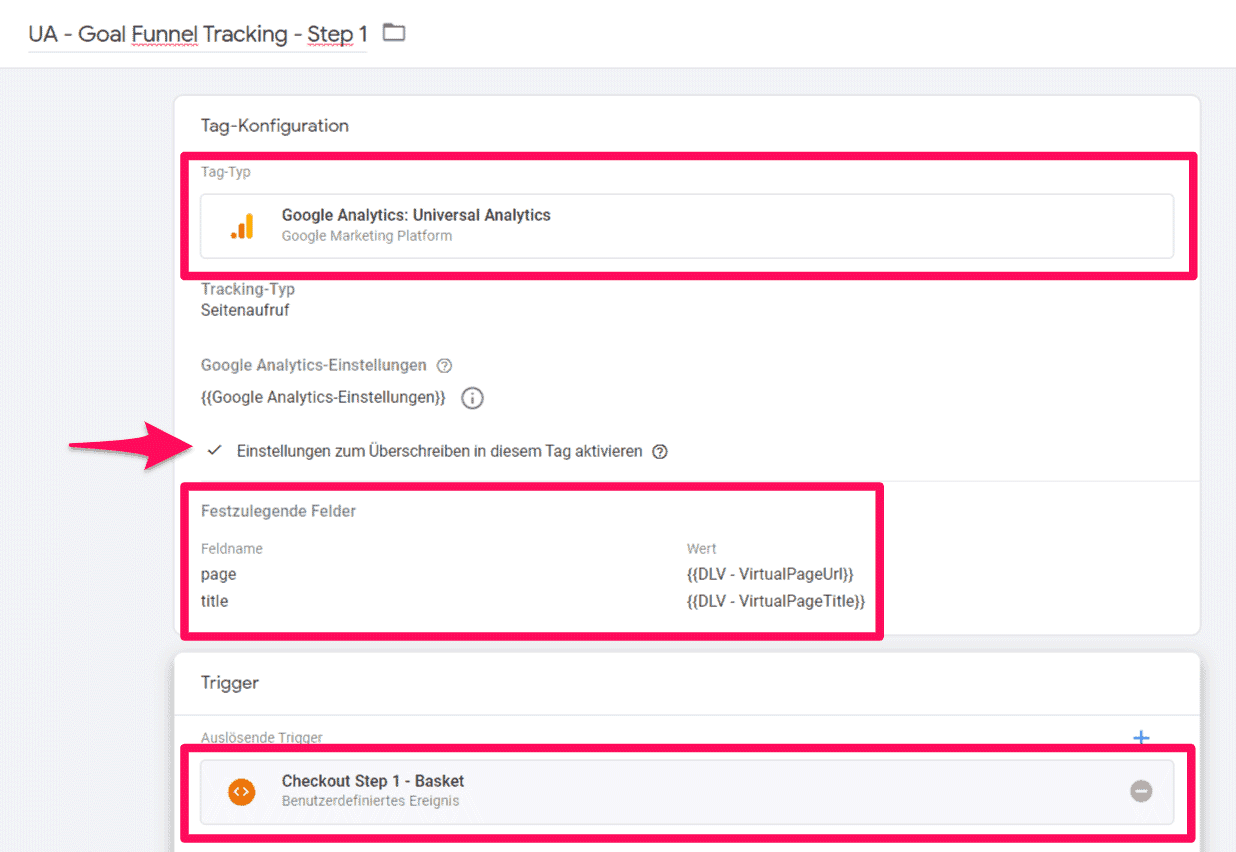
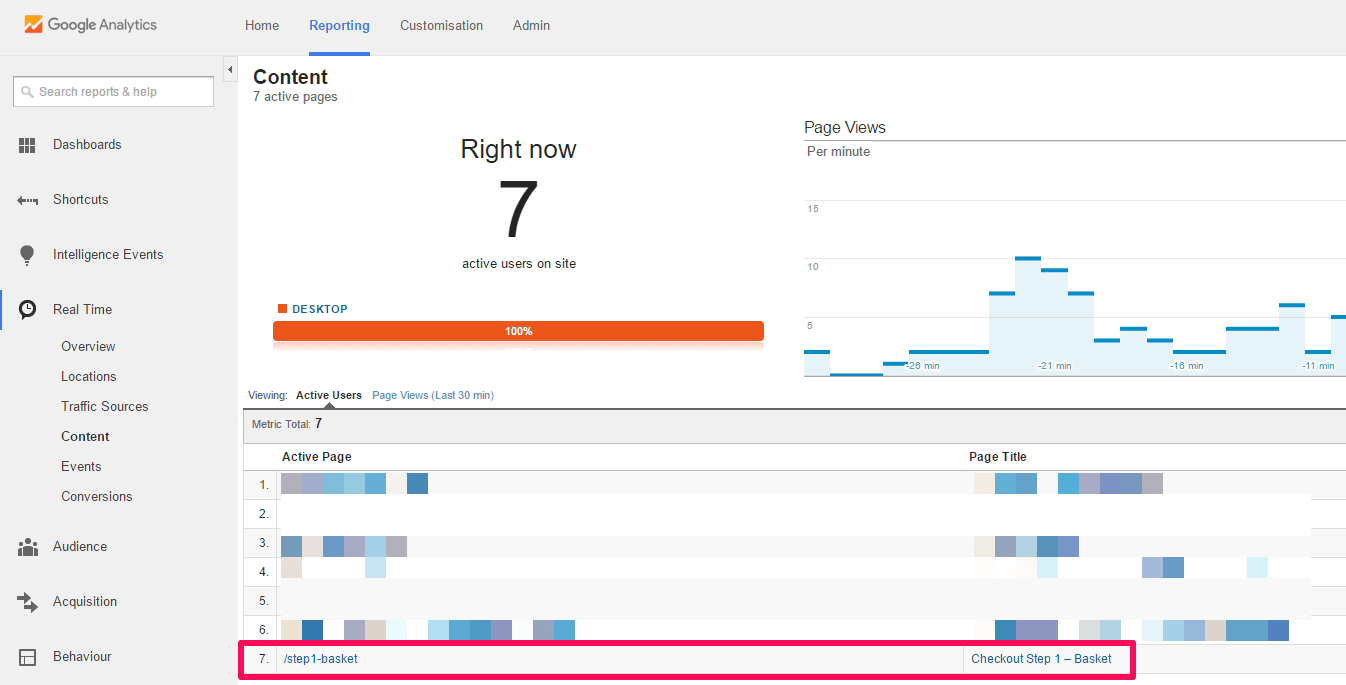
You do not necessarily have to use a virtualPageTitle. However, it is advisable, as the URL and Title are displayed as primary dimensions in Analytics!

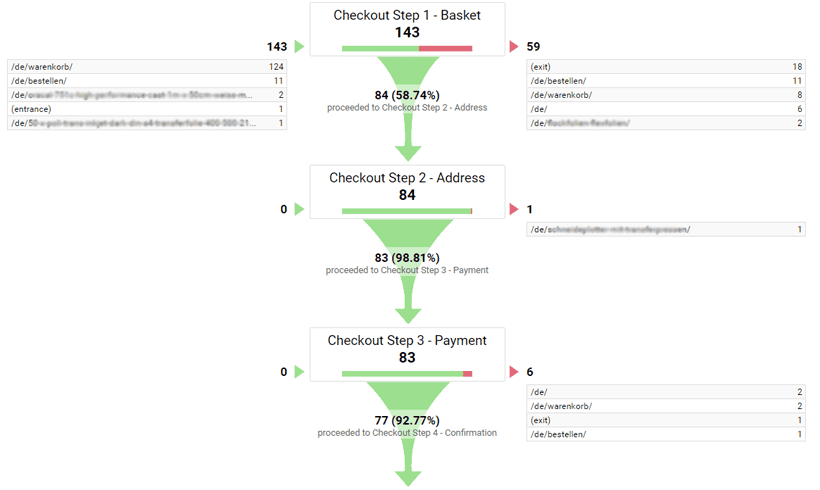
Naming of the funnel steps

1

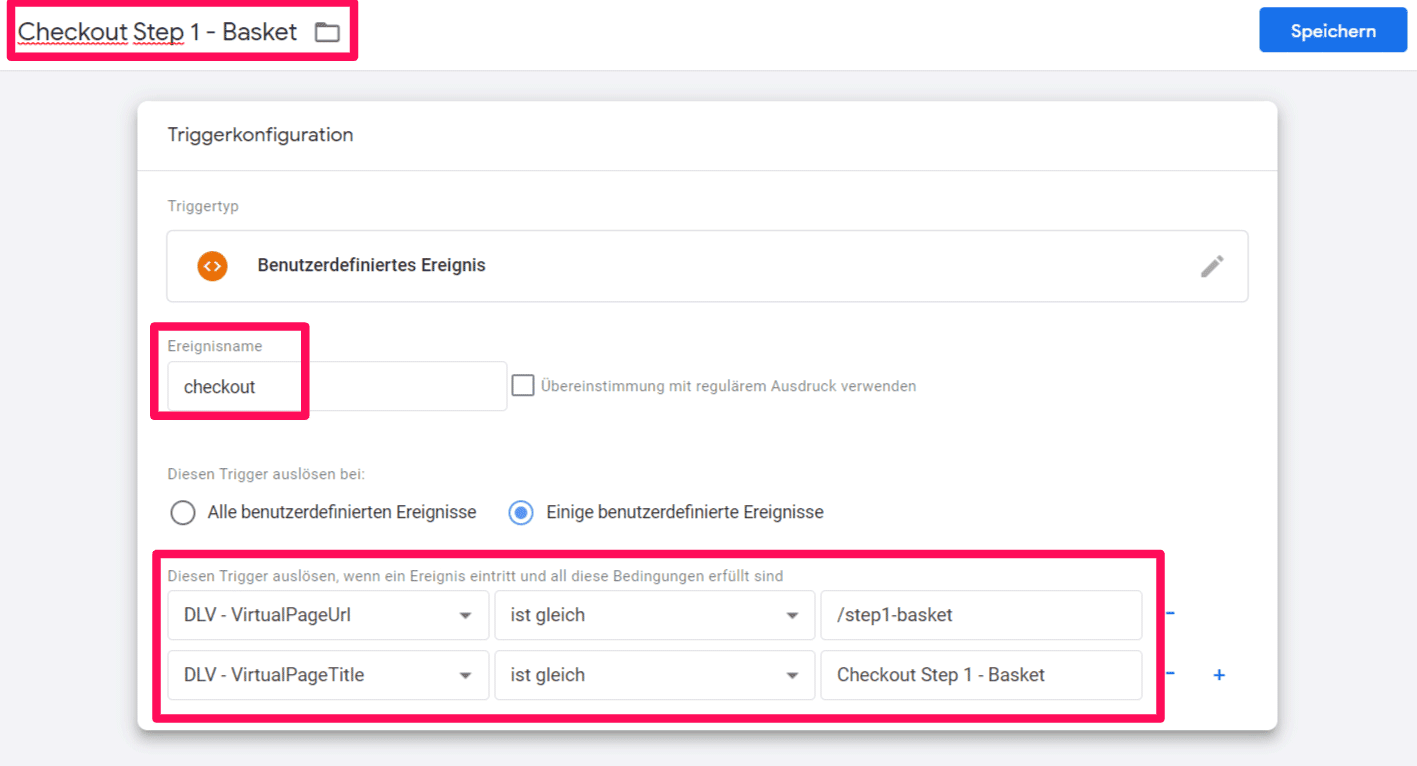
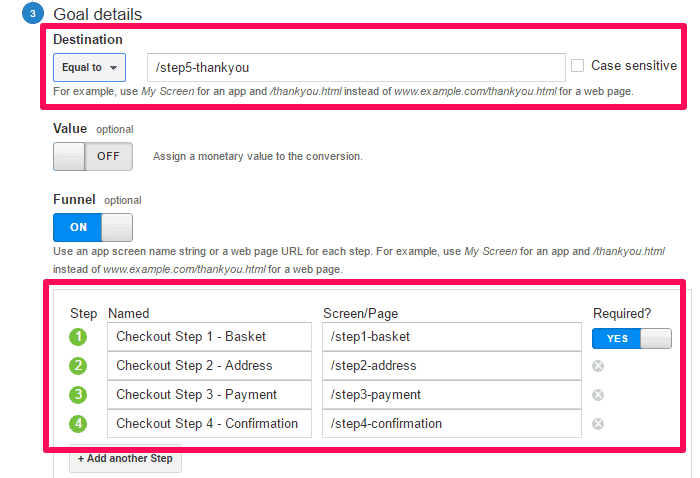
1. Shopping Cart

virtualPageURL‘:’/step1-basket
virtualPageTitle‘ : ‚Checkout Step 1 – Basket
2

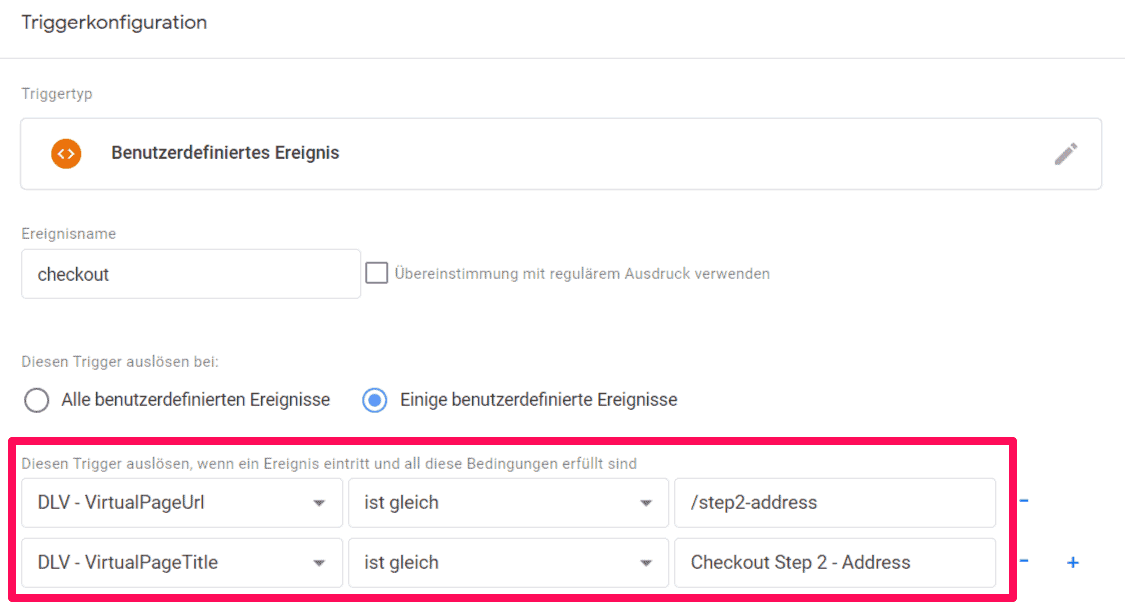
2. Address entry

virtualPageURL‘:’/step2-address
virtualPageTitle‘ : ‚Checkout Step 2 – Address

3

3. Payment information

virtualPageURL‘:’/step3-payment
virtualPageTitle‘ : ‚Checkout Step 3 – Payment

4

4. Examination

virtualPageURL‘:’/step4-confirmation
virtualPageTitle‘ : ‚Checkout Step 4 – Confirmation

5

5. Confirmation page

virtualPageURL‘:’/step5-thankyou
virtualPageTitle‘ : ‚Checkout Step 5 – Thank you

JavaScripts that you need to fill in the data layer variable accordingly at each step

Define DataLayers

1

1. dataLayer.push command for the shopping cart

1
2
3
4
5
6
7
<script type="text/javascript">
dataLayer.push({
'event':'checkout',
'virtualPageURL':'/step1-basket',
'virtualPageTitle' : 'Checkout Step 1 – Basket'
});
</script>
2

2. dataLayer.push command for address input

1
2
3
4
5
6
7
<script type="text/javascript">
dataLayer.push({
'event':'checkout',
'virtualPageURL':'/step2-address',
'virtualPageTitle' : 'Checkout Step 2 – Address'
});
</script>
3

3. dataLayer.push command for the payment data

1
2
3
4
5
6
7
<script type="text/javascript">
dataLayer.push({
'event':'checkout',
'virtualPageURL':'/step3-payment',
'virtualPageTitle' : 'Checkout Step 3 – Payment'
});
</script>
4

4. dataLayer.push command for confirmation

1
2
3
4
5
6
7
<script type="text/javascript">
dataLayer.push({
'event':'checkout',
'virtualPageURL':'/step4-confirmation',
'virtualPageTitle' : 'Checkout Step 4 – Confirmation'
});
</script>
5

5. dataLayer.push command for the "thank you page"

1
2
3
4
5
6
7
<script type="text/javascript">
dataLayer.push({
'event':'checkout',
'virtualPageURL':'/step5-thankyou',
'virtualPageTitle' : 'Checkout Step 5 – Thank you'
});
</script>

Do you have questions about Google Tag Manager and Ajax pages?

If you have questions, problems, or need a Google Tag Manager / Google Analytics implementation for Ajax pages or training, feel free to contact us!


Request a consultation
SISTRIX certified agency
4.9
Based on 33 reviews