Tutorial: Implementing Any Affiliate Marketing Tracking on Unbounce Pages 

Affiliate Tracking with Unbounce

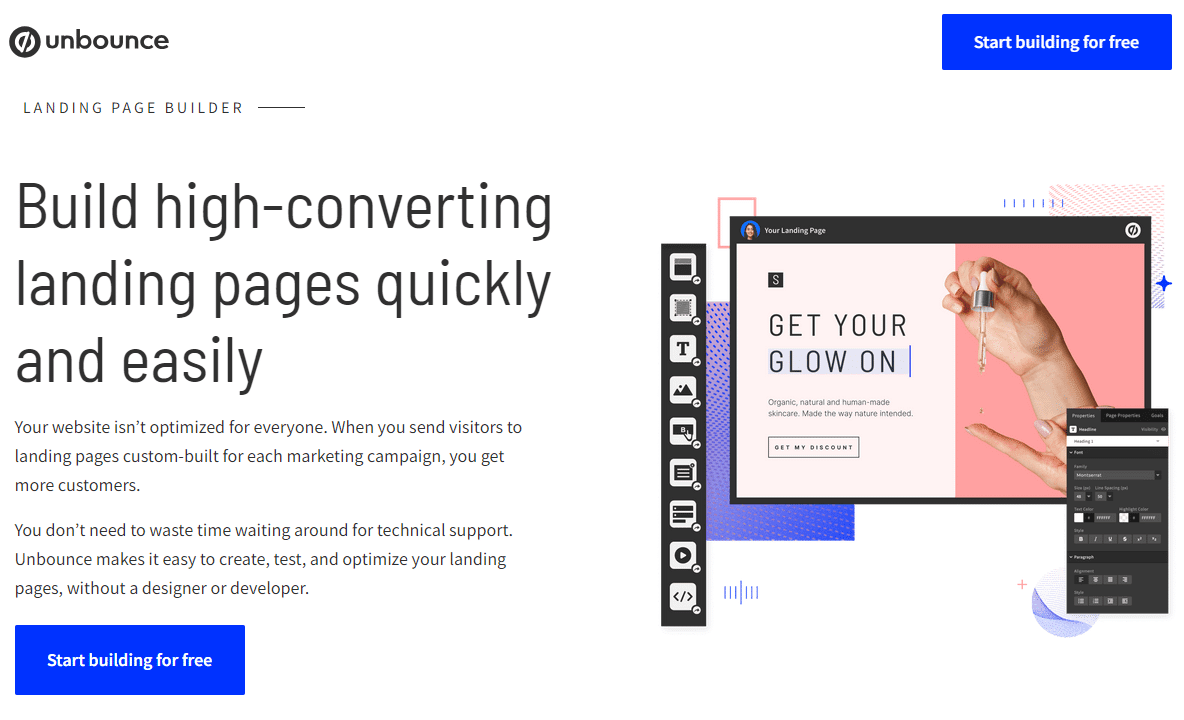
Unbounce-Werbung für Landing Pages mit Bildbearbeitungswerkzeugen und einer Hand, die eine Pipette hält.

Landing page software like InstaPage, Leadpages for WordPress, or even Unbounce.com are familiar to any online marketer who actively CRO. At Rheinwunder, we use unbounce.com in most cases due to its great results, functionality, and support for customers and our own projects.

What is Unbounce?

Easy creation of optimized landing pages

Unbounce.com is a user-friendly “builder” that allows especially HTML novices to create optimized landing pages in no time. A variety of pre-made templates for lead generation, downloads, registrations, newsletters, and more are available, which can be easily adapted to the needs of customers. Those looking for additional templates can find a steadily growing selection of Unbounce templates on ThemeForest.

The standout feature of Unbounce is the A/B testing function. Once a master template is created, numerous variants and tests can be easily generated. For example, different call-to-action elements, headlines, colors, and other page elements can be tested. Each variant test is assigned a specific percentage of visitors, and based on the results, the successful variant is kept while less successful versions are turned off.

All generated leads can be sent via email or directly integrated into CRM systems like Salesforce. Alternatively, it is also possible to transfer the data via webhook to a target server.
Conversion Tracking with Unbounce

Landing page builder with integrated A/B testing

Unbounce offers the ability to insert JavaScripts and common conversion codes from Google Ads or Microsoft Ads on the “Thank You” page via Copy & Paste to track leads. However, if a unique value needs to be assigned to a lead and tracked as a conversion, a workaround is required. In a specific case, a uniqueID had to be passed to an affiliate network to uniquely identify the generated leads and pay out upon success.

Since Unbounce does not allow direct system interventions and does not support server-side scripting languages, the only option was to solve this with JavaScript.

Step One - Affiliate Tracking with Unbounce

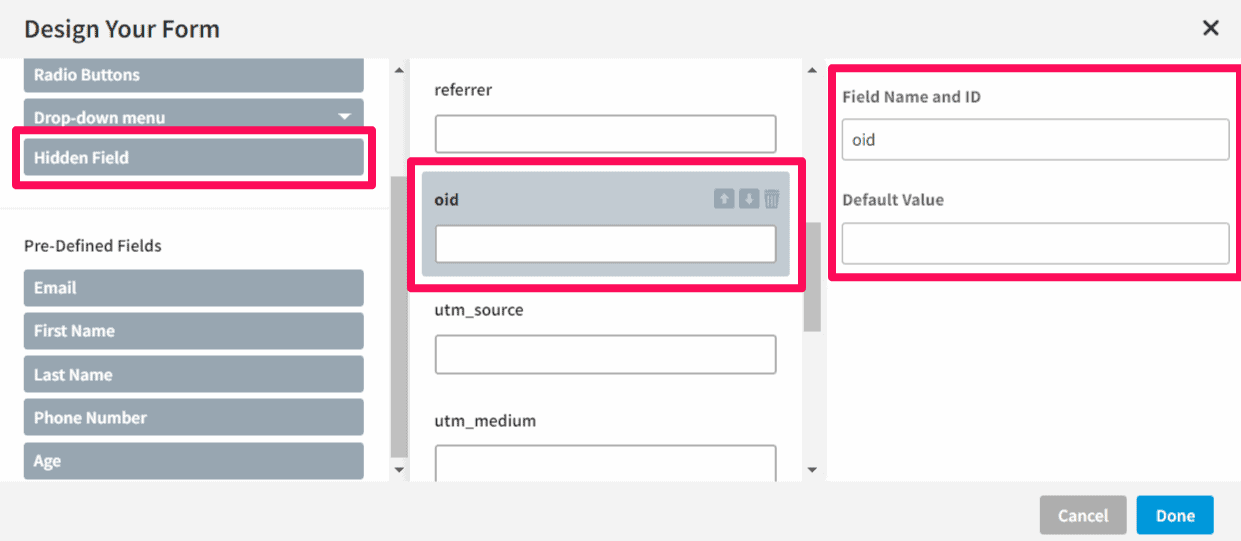
Storing the affiliate tracking ID in a "hidden field"

Unbounce allows the use of hidden fields in the contact form to capture unique values such as “oid”. These fields remain invisible to users while Unbounce automatically saves the parameters and transmits them along with the form data – ideal, for example, for tracking Google Analytics UTM parameters.

Tracking mit Unbounce

Step Two - Affiliate Tracking with Unbounce

Activation of the Page Builder

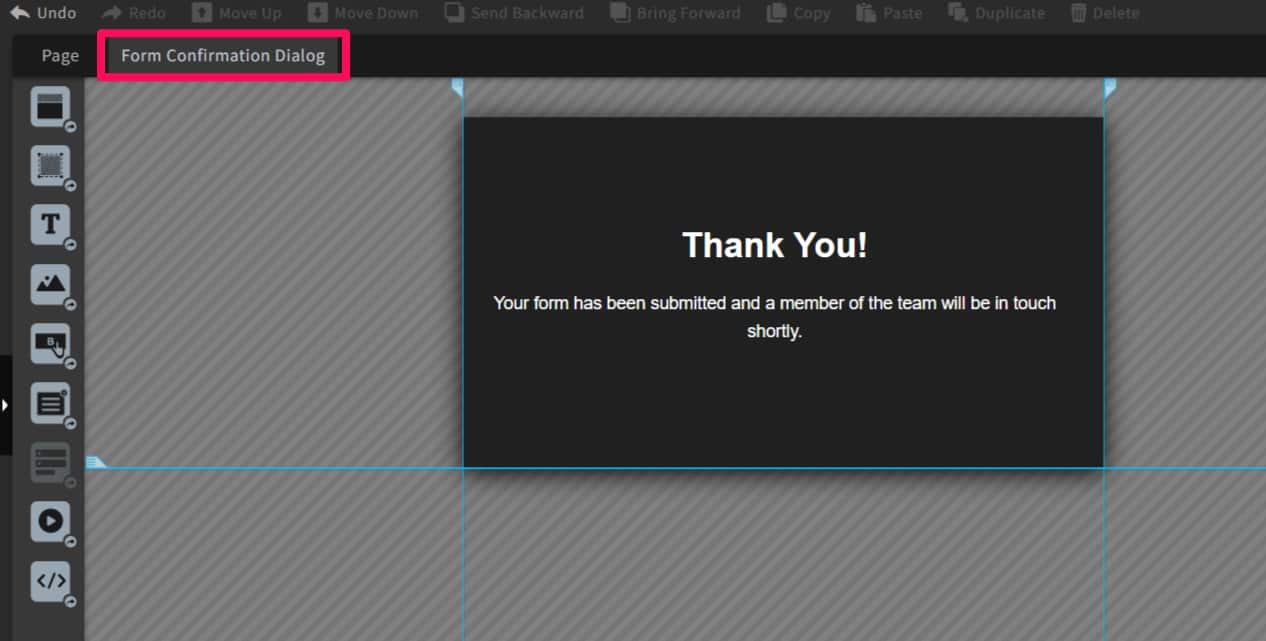
In the next step, the page builder for the “Thank You Page” will be activated.

Unbounce dankt

Step Three - Affiliate Tracking with Unbounce

Activate JS dialog to include tracking script

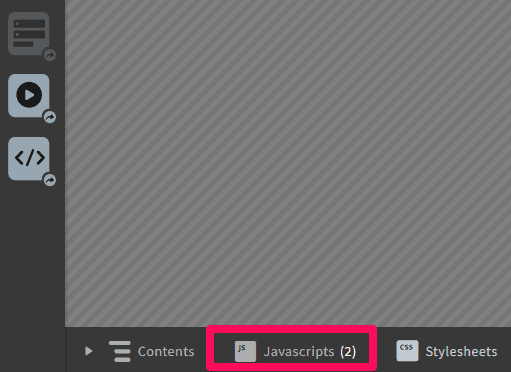
The “JavaScript” button activates the JS dialog, where all scripts can be added that should be displayed on the “Thank You” page.

Unbounce JavaScript Dialog

Step Four - Affiliate Tracking with Unbounce

Finally, the following JavaScript must be added to the "Thank You" page.

1
2
3
4
5
6
7
8
9
10
11
12
13
14
15
16
17
18
19
20
21
22
23
24
25
26
27
28
29
30
31
32
<script>//
    // The function getQueryVariable extracts all parameters from the query string
    function getQueryVariable(variable) {
    var query = window.location.search.substring(1);
    // alert(query); To test the content of the query string, all can be output here
  // Values can be displayed via an alert  var
  vars = query.split(  '&' );'&');
  for (var i = 0; i vars.length; i++) {
    var pair = vars[i].split('=');
        if (decodeURIComponent(pair[0]) == variable) {
            
                return decodeURIComponent(pair[1]);
        }
    }
}
    
    //Here the desired value is taken over, in our case the oid.
    var orderid = getQueryVariable("oid");
    //Definition of the target URL
    var url = "https://www.target-domain.com/name-of-target-page.php?fixed-var=1&fixed-var=2&oid=";  
    //Construction of the tracking pixel
    fa_pixel = new Image(0,0)
    //Linking URL and OrderID
    fa_pixel.src=url + orderid;
    // Triggering the Tracking Pixel 
    document.write('<img src="'+fa_pixel.src+'" border="0" alt="">');
// ]]></script>


With the help of the hidden fields and this JavaScript, any number of tracking parameters can be passed on the “Thank You” page.

 Contact 

Do you have questions about the Unbounce tracking implementation?

Our experts are happy to answer all your questions about tracking, as well as our other services.

Ein Mann in weißem Hemd lehnt an einer Wand, neben ihm das Rheinwunder Logo
Contact person:
Ralph Grundmann
0228 243 313 53
Free consultation
4.9
Based on 33 reviews